When can we reach you outside of the appointment time just in case we can get to you sooner, or appointments get delayed?
Select a day above to set your available times
✓Availability saved!
Client Information Worksheet
ℹComplete the four sections below, then generate your CIW. The checklist and upload can be done at any time.
Client Information Worksheet
Verify your personal info is complete
Personal Deductions
Medical, mortgage, charitable & more
Business Deductions
Business expenses & 1099 income
Dependent Information
List your dependents
Gather & Submit Documents
Document Checklist
Email yourself a list of docs to gather
Secure Encyro Upload
Securely submit your tax documents
Personal Info
⚠The following information is missing. Please update your profile before continuing.
✓Your personal information is on file. Review it below if needed, then complete the sections below and confirm.
Referrals (optional — up to 6)
Know someone who needs tax help? Enter their name and email and we will reach out to them.
Which year(s) are you filing?
Personal Deductions
ℹAll fields default to $0.00. Update any that apply to you, then save. Changes are saved automatically.
Prescriptions
Health Insurance
Dental
Dental Insurance
Vision
Vision Insurance
Doctor Co-Pays
Hospital Visits
Eyeglasses
Contact Lens
Medical Supplies
Mileage
Lab / X-Rays
Property Taxes
Mortgage Interest
Car Tags
Tithes
Offering
Non-Cash Contributions
Student Loan Interest
Business Deductions
⚠If you have a business or received any 1099 income — even outside a formal business — you are required to complete this section.
I do not have a business
I did not receive income on a 1099 — I only got paid on a W-2, or I am retired
I do not have to complete an expense report for Business Income or 1099 Income
Or select your income type:
Business Info
Company Name
Company EIN
Company Address
Entity Type
Income
Sales / Revenue
1099 Income
1099-K Income
Expenses
Advertising
Miles
Gas
Car Insurance
Car Repairs
Employee Payments
Company Ins.
Legal & Prof. Fees
Office Expense
Equipment Rental
Car Rental
Equipment Repairs
Supplies
Tools
Travel Expense
Meals / Entertainment
Materials / Supplies
Inventory
Cell Phone
Uniforms
Storage
Postage
Dependent Information
Will you be claiming any dependents this year?
Can you provide a birth certificate, social security card, and/or school records for your dependent(s)?
ℹWe understand your situation. However, please note that the IRS requires taxpayers to provide documents such as birth certificates, social security cards, and school records for dependents. You may be required to submit these documents if requested by the IRS in the future. It is important to keep them accessible.
Does anyone other than you have the right to claim your dependent(s)?
⚠Please be sure to inform your tax preparer of this potential conflict of interest with another party to avoid any possible delays with the processing of your return!
How many dependents are you claiming?
Document Checklist
ℹClick below to email yourself a copy of our document checklist. It will be sent to the email address we have on file.
What to gather before uploading
W-2s · 1099s · Childcare expenses · Mortgage interest statement · Dependent SSN cards · Work-related expenses · Medical & dental expenses · Business mileage · Education expenses · Real estate taxes · Charitable donations · Health insurance proof (1095-A / 1095-C) · Rental income · Student loan interest · IRA contributions
✓A copy of the checklist has been sent to your email on file.
Secure Upload
🛑Do NOT email documents to documents@jacobsadmin.com, support@jacobsadmin.com, or directly to your tax preparer. This secure upload method ensures no documents get overlooked in your filing process.
How it works
Click the button below to open our secure Encyro upload portal in a new window. Upload all of your tax documents there. Once you have finished uploading, come back here and confirm below.
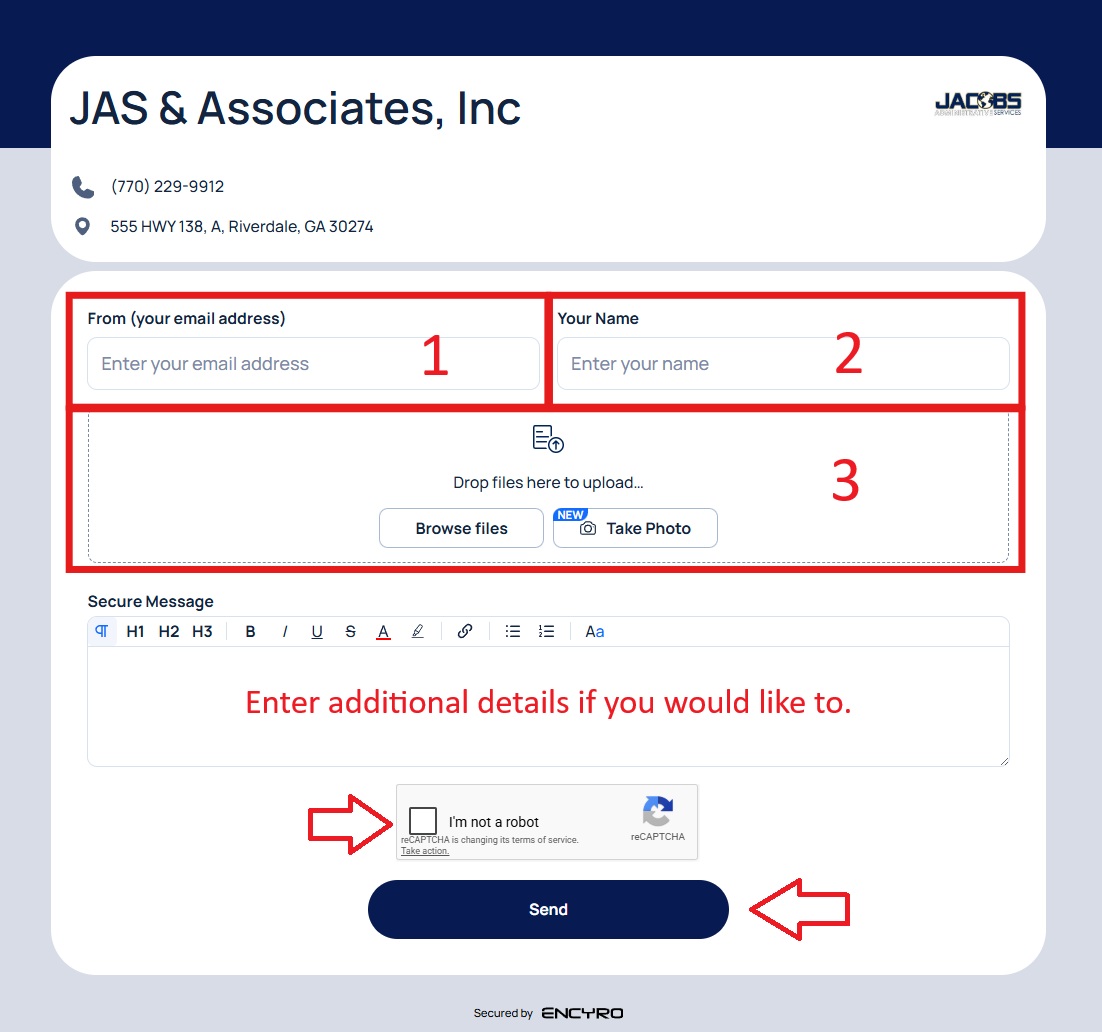
You can upload your documents in three easy steps
1. Enter your email address. If you do not have an email address, enter [yourfirstname]@noemail.com
2. Enter your name
3. Drag and drop your documents, or take a picture of them with your phone
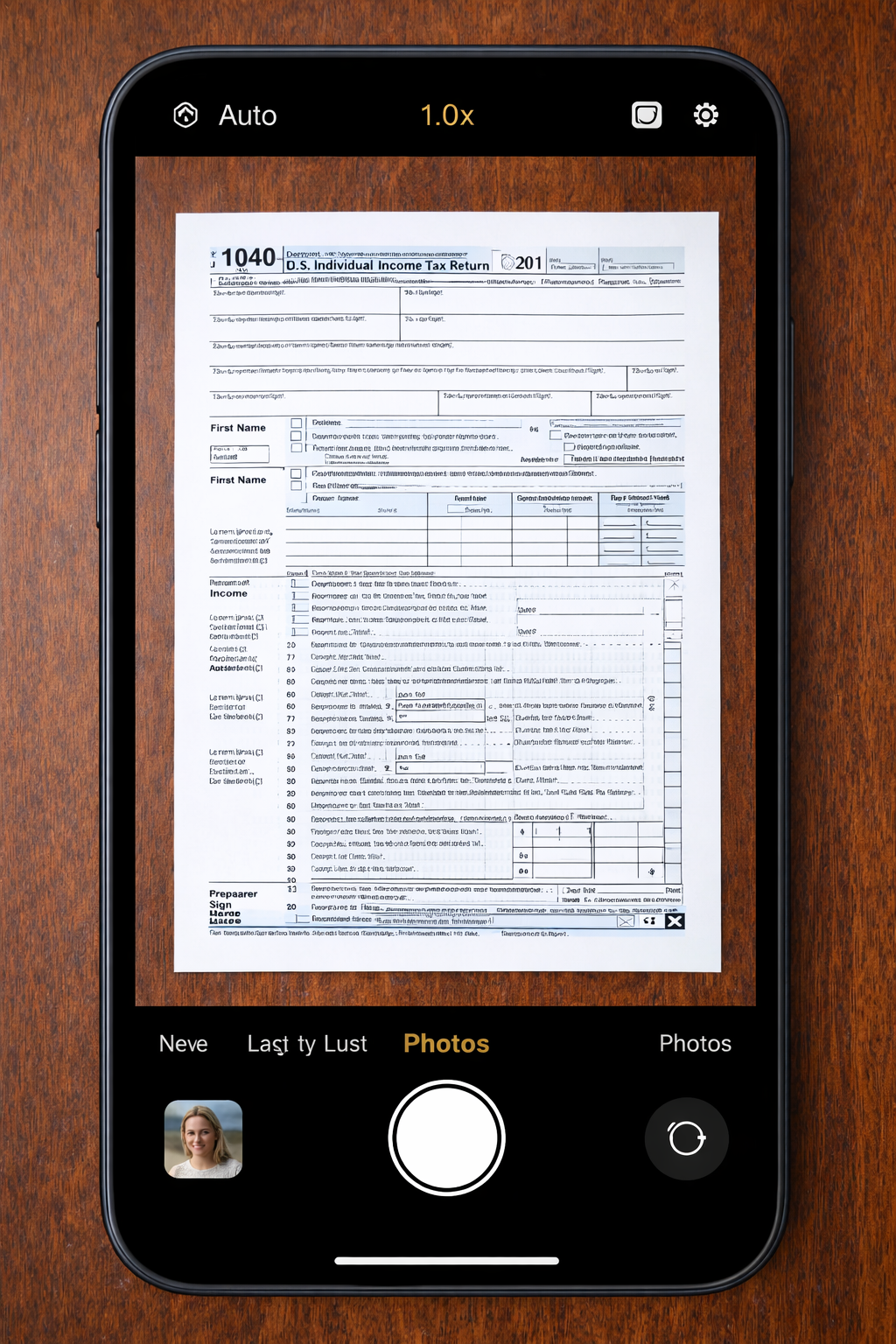
Please make sure that the image is perfectly aligned in the photo and not at an angle
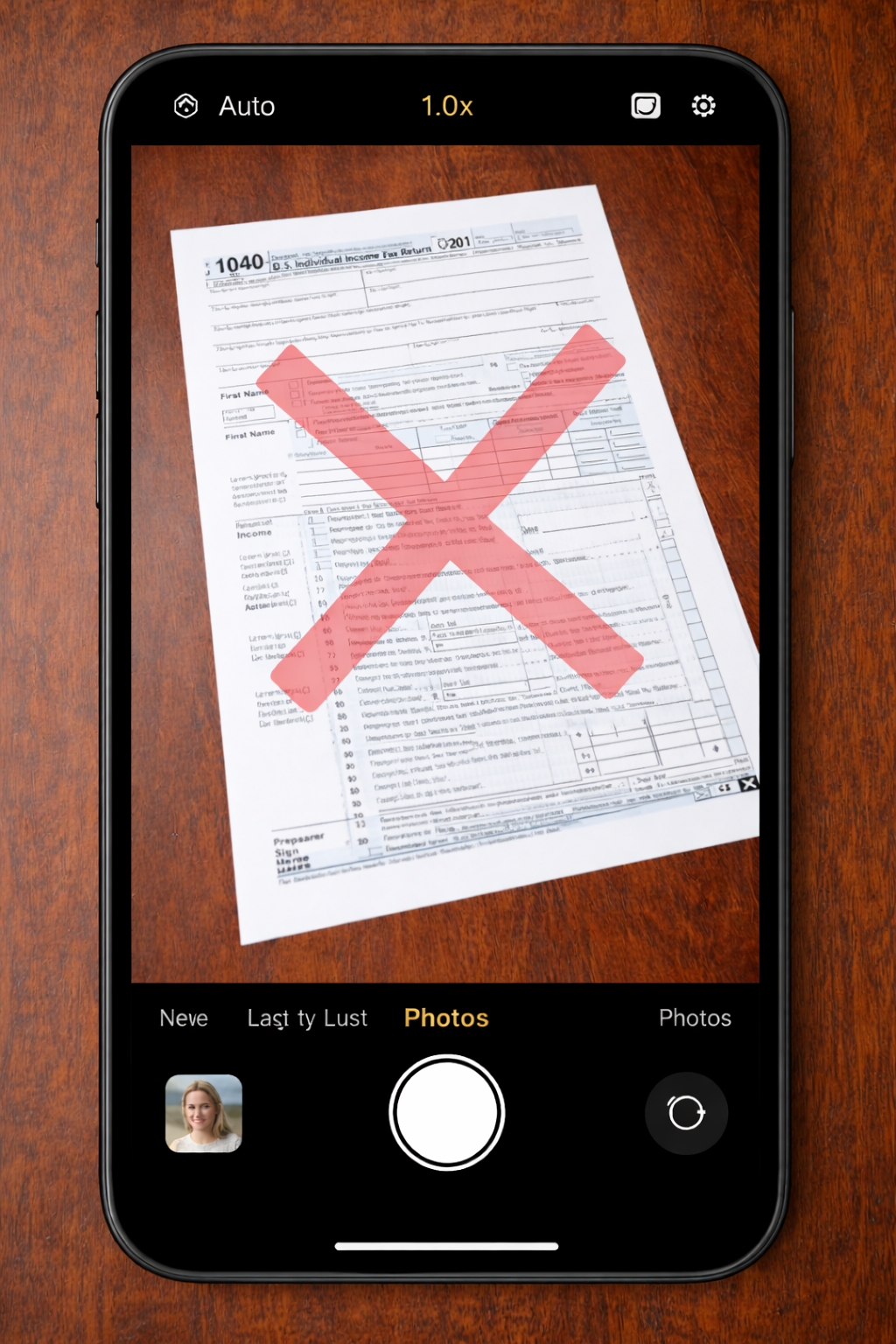
Please do not skew the documents, get too close, or too far from the document
⌛Documents pending review — we will update your status once we have confirmed receipt.
✓Documents received — thank you! Your return is moving forward.
Current Progress
ℹSelect a filing below to see its progress.
No filings found. Complete your CIW to get started.
Communication
—
—
Loading messages…
Edit
Request Change
Remove Email
Are you sure you want to remove from your account?
Share Feedback
We'd love to hear your thoughts on the portal — what's working, what's confusing, or what you'd like to see added.
0/500
Report an Issue
Tell us what's wrong and we'll look into it. Your message goes directly to our team.